Removing U3 on Sandisk Flash Drives
Last updated: Jan 21, 2008Recently I purchased a Sandisk Cruzer micro 4GB flash drive which I use for storing some of my favorite applications and files. Immediately after using it for the first time it came up with this annoying interface that was geared towards Windows only. Knowing that I hate any software that excludes other operating systems. I tried formatting the drive in Linux and Windows only to find the U3 program was still there taking up space and annoying the hell out of me. After doing some searching I found that you can remove the U3 software that comes bundled. When I heard this news I was thrilled.
Here is a screenshot of the U3 interface:

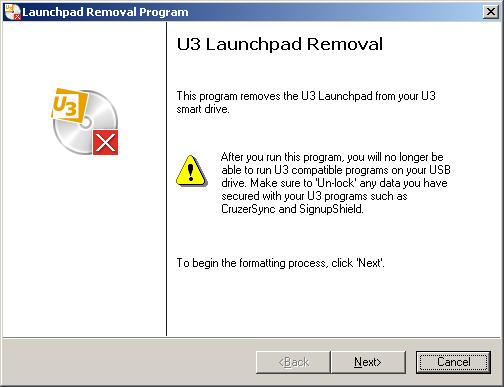
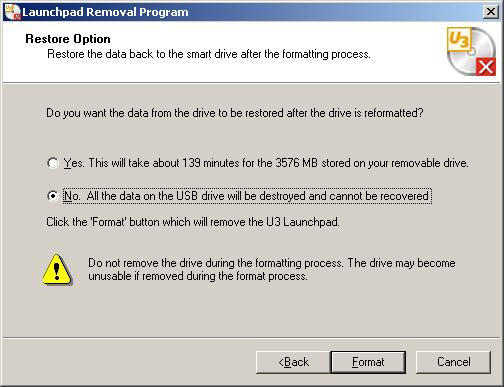
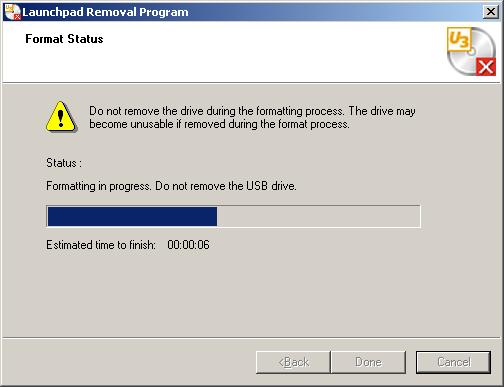
For those of you that can’t stand the U3 interface here is the URL for the removal tool.
Caution: It is to my understanding that once it is removed you can not install it again. You can however install ProtableApps from sourceforge for an opensource alternative to U3.
Need to print shipping labels on your site?
Checkout my product RocketShipIt for simple easy-to-use developer tools for UPS™ FedEx™ USPS™ and more.